Audio quality matters far more than video resolution. A $50 lavalier microphone or $100 iPhone-compatible Shure mic will have more impact on candidate experience than investing in an expensive external camera—yet most teams skip audio entirely and wonder why their meetings feel flat.
The Hiring Excellence Podcast · Episode 29
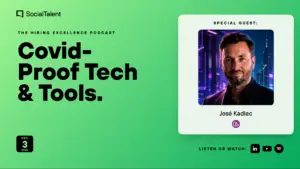
Covid-Proof Tech & Tools with José Kadlec
The pandemic accelerated the shift to distributed work, but most teams are still using outdated video conferencing tools. José Kadlec breaks down the specific hardware, software, and emerging platforms that actually work for interviews, webinars, and team collaboration—plus what's coming next in VR and AR.
 Johnny CampbellHost · Co-founder & CEO, SocialTalent
What you'll learn
Prioritize audio quality over video quality in remote interviews
Invest in a cheap light before buying an expensive camera
Distinguish genuine AI matching from simple keyword-based automation
Build a low-cost VR office walkthrough instead of hiring an agency
00:00
--:--
Episode notes
Episode key takeaways
Webinar software is often overkill. LinkedIn Live, YouTube Live, or Facebook Live deliver the same broadcast experience without licensing fees or attendee limits, especially when paired with multi-streaming tools like StreamYard that push one feed to three platforms simultaneously.
Lighting is the cheapest, highest-ROI upgrade. A $2–15 selfie ring light or clip-on lamp transforms video presence more than a $300 camera upgrade, yet it's the first thing professionals skip. Position your desk facing a window when possible; in winter months, add supplemental white-light (not yellow) to avoid shadows.
José highlights that VR candidate experiences—office walkthroughs, immersive onboarding—no longer require agency budgets. A $500 Xiaomi VR camera or $1,000 Vuze rig can produce broadcast-quality 360° video; candidates view it on their phone in a $3 plastic headset or on YouTube in a browser.
Non-technical recruiters can adopt this stack without coding or IT support. Modern tools like Loom, StoryExpress, and Lander prioritize one-click simplicity over feature depth, following Apple's design philosophy—hide the complexity, show only what matters.
Good to know
Frequently asked questions
The quick answers behind this episode.
What microphone should I buy for daily video interviews? +
Start with a wired lavalier (RODE, ~$50) if you want hands-free audio without earpieces, or a Shure MV88 (~$100) for iPhone recording with directional angle control. Both beat built-in laptop mics by a wide margin. For team meetings, a Blue Yeti ($200) lets you adjust gain and pickup pattern.
Do I need special webinar software or can I use Zoom? +
If you don’t need attendee lists or registration tracking, skip dedicated webinar platforms. Use LinkedIn Live, YouTube Live, or Facebook Live instead—they’re free, built-in, and automatically recorded. For multi-platform broadcasting, use StreamYard or Restream to push one feed to all three channels at once.
How do I light my desk for video calls on a budget? +
Buy a $2–15 USB-powered ring light or clip-on selfie light from Amazon or AliExpress. Position it at eye level to eliminate shadows. Avoid yellow bulbs; use white or daylight-balanced lighting. If possible, face a window for natural light, but supplement in winter or late afternoon.
Can we create VR office tours without hiring an agency? +
Yes. A Xiaomi VR camera (~$500) or Vuze camera (~$1,000) captures 360° video you upload to YouTube. Candidates view it on their phone, in a $3 plastic VR headset, or in a browser using mouse/arrow keys. No special software or production crew required.
What tools work best for asynchronous video communication with candidates? +
Loom and StoryExpress let you record, send, and track whether candidates watched your video invitation—all in one click. No desktop software needed. Use these for video sourcing outreach, pre-recorded training, or candidate experience walkthroughs.