
By David Deady
Writing job ads with ChatGPT can save time, but the quality of the output depends on the quality of what you give it. If you start with a vague job spec or publish the first draft without reviewing it properly, you can end up with copy that feels generic, misses your tone of voice, or includes wording that turns the right candidates away.
Used well, ChatGPT can help you turn rough job specs into clearer, more inclusive job ads that are easier to adapt for social posts, employer branding, and hiring manager feedback.
The real value is not in letting AI write the whole ad for you. It is in using it to speed up the drafting process, improve clarity, and give you a stronger starting point that still benefits from human review.
In this guide:
- How to review and improve an existing job ad before rewriting it
- How to spot gender-coded or biased language and make the copy more inclusive
- How to create shorter, social-ready versions of the same job ad
- How to bring in tone of voice, culture, benefits, and growth opportunities
- How to keep refining the draft so the final ad still feels accurate, human, and on-brand
A Step-by-Step ChatGPT Workflow for Better Job Ads
Job ads are the first impression candidates have of your company, so getting them right is crucial. But let’s face it – writing effective job ads that are compelling, inclusive, and SEO-friendly can be a daunting task.
Enter ChatGPT, an AI tool that can help you improve your job ads with a few simple ChatGPT prompts for recruiters.
Here’s how you can harness the power of ChatGPT to write a job ad that attracts top talent, boosts inclusivity, and streamlines your hiring process.
Step 1: Analyze and Optimize Existing Job Ads
A quick review of your existing job ads can show you what to improve before you start rewriting.
When Your Job Ad Pipeline is Backed Up and Every Post Looks the Same
It’s Monday morning. You have three roles to post by end of day, your hiring managers have sent over job specs that read like internal HR documents, and one of them still has “rockstar” in the title.
You know the ads need work before they go live:
- The language is generic and unlikely to attract the right candidates
- One spec is heavy on requirements but says nothing about culture or growth opportunities
- You’re not sure if any of them would pass a basic bias or inclusivity check
This is exactly where a structured ChatGPT workflow saves you. Instead of rewriting from scratch, you paste each spec in, run it through targeted prompts for gender-coded language, tone of voice, and employer branding, and get a draft that actually reflects your company.
You can then create social-ready versions for LinkedIn in the same session, without briefing a copywriter or waiting on a design round-trip. The result: three polished, on-brand job ads ready to review before lunch.
One of the easiest ways to start using ChatGPT is to review and optimize your existing job specs. Here’s how:
Privacy Before You Paste
Before you paste anything, be mindful of personal information, avoid including candidate names or any sensitive data when sharing content with AI tools.
- Paste the Job Ad for Context: Begin by copying and pasting your current job ad into ChatGPT. This gives the tool the context it needs to analyze and improve the content.
Removing Gender-Coded Language
Language plays a significant role in attracting diverse candidates. Masculine-coded words can deter female candidates, and vice versa.
- Ask for Gender-Coded Language Analysis: Prompt ChatGPT to review your job ad for biased language (or any other potentially discriminatory language) and suggest edits to make it more inclusive:
“Could you analyze this job ad for gender-coded language and suggest edits to make it more inclusive?”
- Incorporate Feedback: Once ChatGPT highlights problematic words or phrases, it will also provide alternative, bias-free terms. For example, instead of “persistence,” it might suggest “commitment” or “drive.” Use these suggestions to refine your ad.

Step 2: Craft a Social-Media-Ready Job Ad
Your job advertisement isn’t just for your careers page—it needs to shine on social media too. Here’s how to get ChatGPT’s help:
- Create a Shortened Version: Ask ChatGPT to condense your job ad into a more concise version suitable for platforms like LinkedIn and Instagram. Use a prompt like:
“Could you create a shorter, punchier version of this job ad for social media?”
- Generate Multiple Variations: To keep your posts fresh, ask ChatGPT for multiple variations of social media captions:
“Provide three LinkedIn post ideas and three Instagram captions to promote this job. Include hashtags.”
Example outputs:
- LinkedIn: “Join our team! We’re looking for an Enterprise Account Executive to help drive growth. Apply now! #SalesJobs #CareerOpportunity”
- Instagram: “Dream job alert! Become an Enterprise Account Executive at SocialTalent. Tap the link in bio to apply! #JoinOurTeam”
Step 3: Experiment with Visuals
Images and graphics make your job ads stand out, and ChatGPT can help with that, too. While it’s not a design tool, it can provide ideas and suggestions for visuals:
- Prompt for Visual Concepts: Ask ChatGPT for suggestions on image themes or captions to pair with your job ad:
“What kind of image or graphic would pair well with this job ad? Include text suggestions for the image.”
- Iterate for Brand Consistency: If the initial suggestion doesn’t match your brand, refine it:
“Could you revise the image suggestion to align with the tone and style of SocialTalent’s branding?”
- Collaborate with Designers: Share these ideas with your design team or use them as inspiration in design tools like Canva or Photoshop.
Step 4: Add Personality with Employer Branding
Your job ad should reflect your company’s unique voice and culture. ChatGPT can help infuse your branding into the text:
For an employer-brand angle that makes roles feel more compelling, SocialTalent’s job ad template is a strong fit.
Tone of Voice and Culture
Share your brand’s tone and ask ChatGPT to reflect it:
“Revise this job ad to match the friendly and engaging tone of SocialTalent.”
Benefits, Growth, and Compensation
Many job ads focus too much on requirements. Prompt ChatGPT to emphasize what makes your company a great place to work, including growth opportunities, compensation packages, and employee benefits:
“Can you rewrite this job ad to emphasize our company culture and employee benefits?”
Step 5: Iterate and Improve
AI is not perfect, and neither are first drafts. ChatGPT thrives on feedback, so don’t hesitate to tweak its suggestions.
LinkedIn’s Future of Recruiting 2025 report notes that AI can help recruiters accelerate common tasks, including writing job ads or outreach messages, but human oversight is still essential when reviewing outputs.
- Push for More Creativity: If a response feels generic, ask ChatGPT to go further:
“This is good, but can you make it more engaging? Add some fun and excitement.”
- Request Data-Driven Suggestions: ChatGPT can also offer recommendations based on best practices for SEO and readability to help the job ad be seen and understood effectively.
Final Tips for Writing Job Ads with ChatGPT
- Use Paid Plans for Enhanced Features: Free versions of ChatGPT are great for basic tasks, but a paid account unlocks advanced features like image generation and larger data processing limits.
- Always Review Outputs: While ChatGPT is powerful, it’s not flawless. Always proofread for grammar, tone, and accuracy.
- Be Specific with Prompts: The more context you give, the better the results. Share your branding, tone, and specific goals.
Integrating ChatGPT into your job ad creation process can save time, enhance inclusivity, and create ads that truly resonate with candidates. With a few strategic prompts and a collaborative mindset, this AI assistant becomes a trusted partner in attracting top talent. Ready to give it a try?
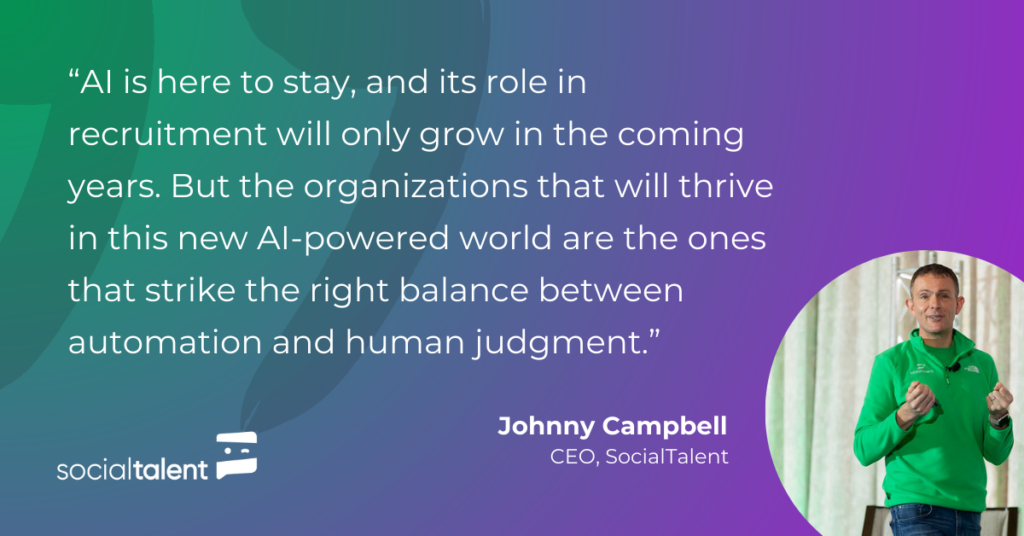
Want to see more of this amazing content? Check out this excerpt from Johnny Campbell’s latest SocialTalent content, AI Lab: ChatGPT for Recruiters.
Book an intro with SocialTalent and see how SocialTalent can help you achieve hiring excellence.

Frequently Asked Questions
Can ChatGPT write job ads?
Yes, ChatGPT can help draft, review, and improve job ads when given the existing ad or key details as context, though outputs should always be proofread for grammar, tone, and accuracy before use. It works best as a collaborative editing tool rather than a fully automated replacement for a writer.
How do you use ChatGPT to remove gender-coded language from a job ad?
Paste the existing job ad into ChatGPT and ask it to analyze the text for gender-coded or discriminatory language and suggest more inclusive alternatives. For example, it might suggest replacing a masculine-coded word like persistence with a neutral term such as commitment or drive.
Can ChatGPT turn a job ad into social media posts?
Yes, ChatGPT can condense a full job ad into a shorter, punchier version for platforms like LinkedIn or Instagram and generate multiple caption variations with hashtags. This makes it easier to keep job promotion content fresh across different social channels without rewriting from scratch each time.
How do you get ChatGPT to match your employer brand’s tone in job ads?
Share your company’s tone of voice and branding details with ChatGPT and ask it to revise the job ad to reflect that style, such as friendly and engaging language. You can also prompt it to emphasize company culture and benefits rather than focusing mainly on requirements.